
Onboarding on the Watch App
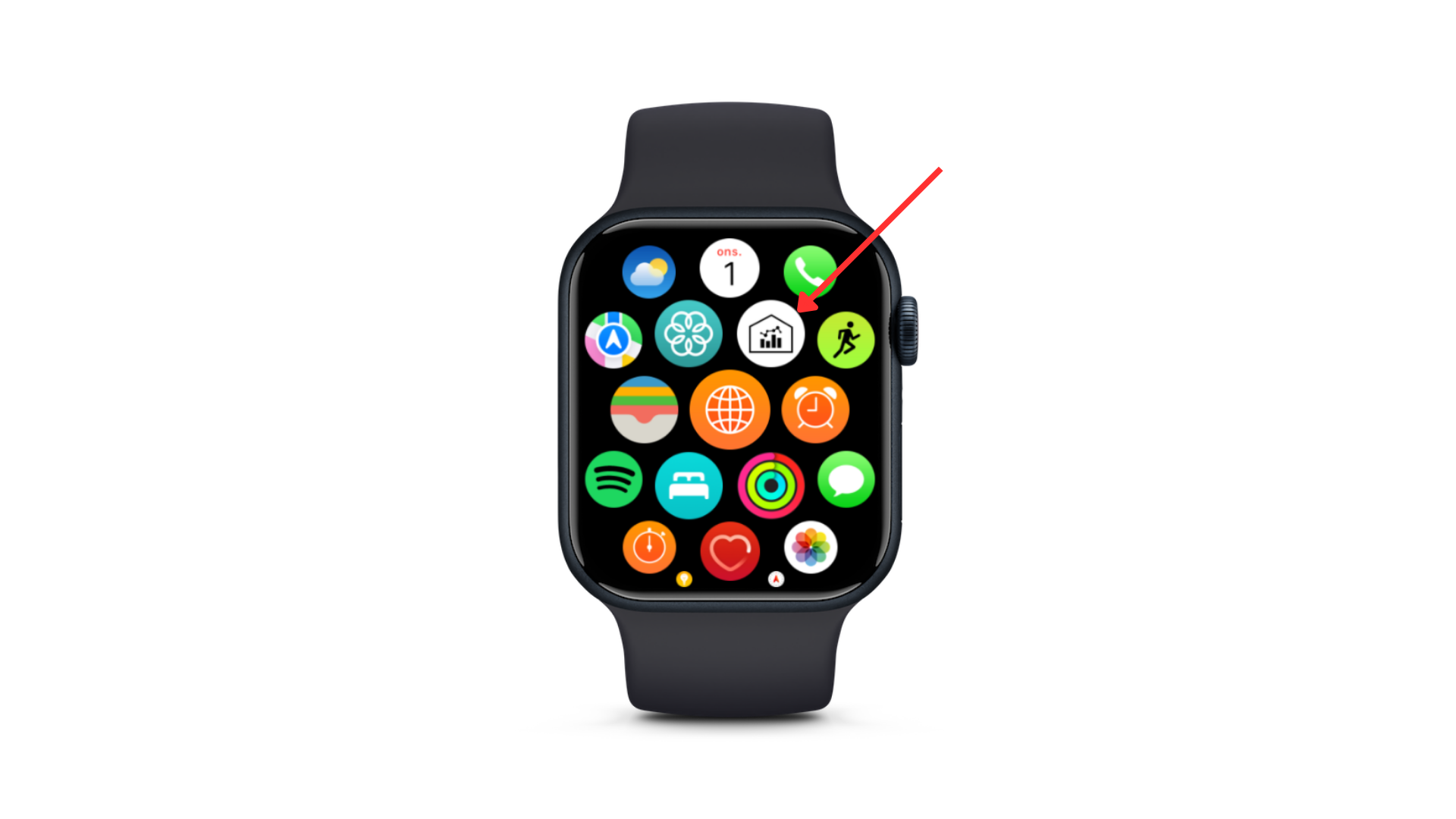
After the completion of the TestFlight Installation, you will be able to see the App on your WatchOS menu. When you press the digital crown, you access the menu as shown in the figure below.
The first time you open the app, you need to log in by following the instructions in the figure below.
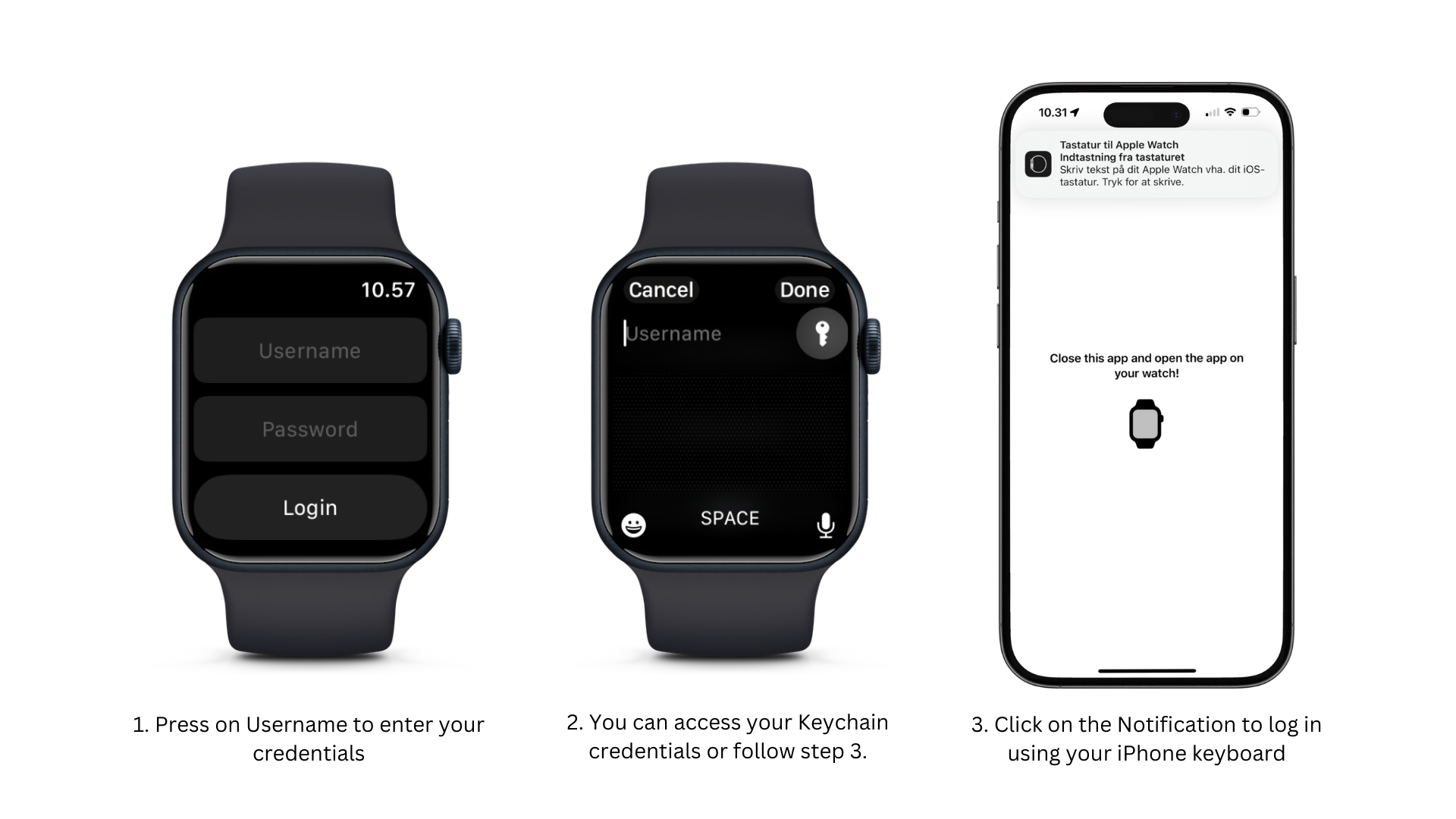
Use your phone to log in.
If succeed, you should see your entry appearing in real time on your watch.
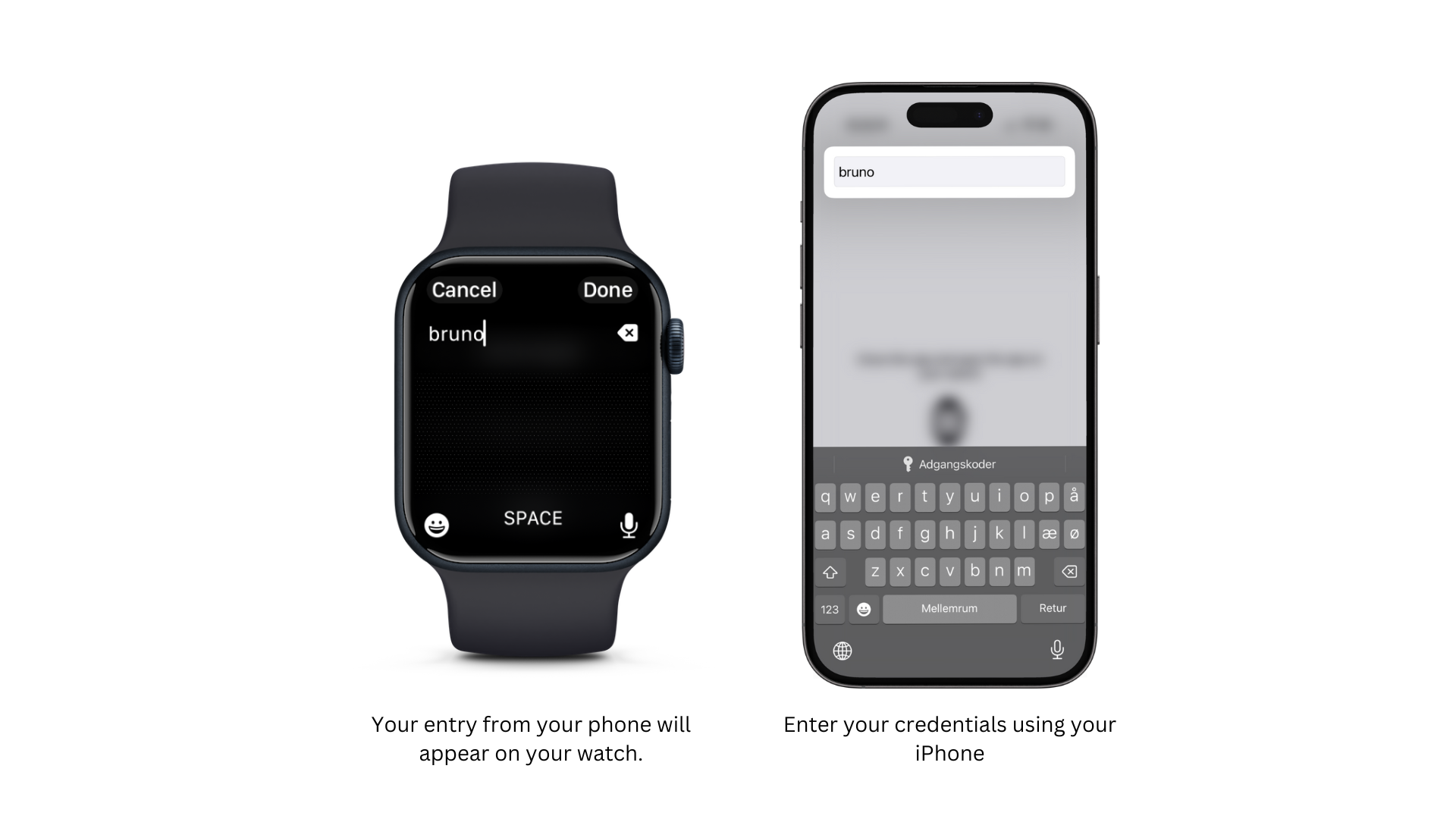
Watch Interface while on your phone
Once log in, you will be able to submit your first Feedback through the app.